File Manager serves as a robust digital hub for Android users who need to organize their local and cloud-based assets without any unnecessary complexity. It streamlines the way you interact with documents, media, and system folders by providing a clean interface that eliminates the clutter often found in default storage tools. This solution ensures that every byte of data is accounted for and easily accessible at a moment’s notice, making it an essential utility for anyone seeking better control over their mobile hardware.
File Manager
Flashlight + Clock
Download
21.7 MB
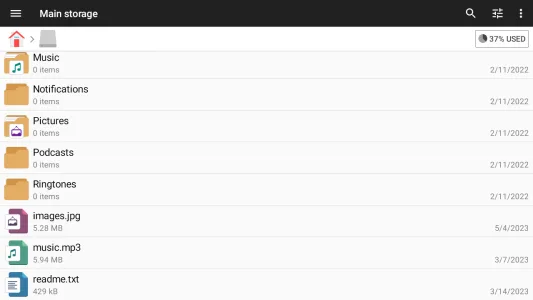
File Manager Screenshots


1 / 11
21.7 MB
Size
3.7.0
Version
6.0+
Android
Universal
Arch
About File Manager
File Manager serves as a robust digital hub for Android users who need to organize their local and cloud-based assets without any unnecessary complexity. It streamlines the way you interact with documents, media, and system folders by providing a clean interface that eliminates the clutter often found in default storage tools. This solution ensures that every byte of data is accounted for and easily accessible at a moment’s notice, making it an essential utility for anyone seeking better control over their mobile hardware.
Comprehensive Storage Management
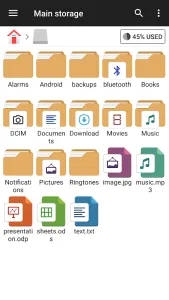
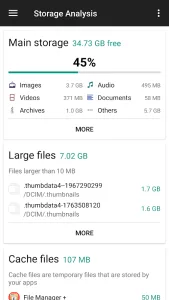
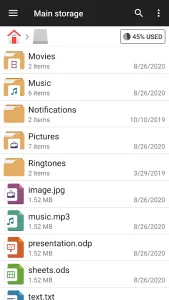
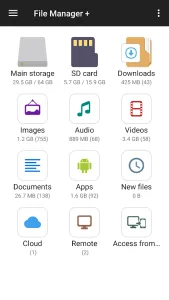
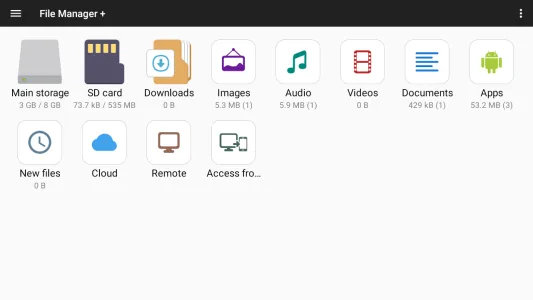
The tool excels at giving you a bird’s-eye view of your entire device storage as soon as you open it. You can quickly see the percentage of used space and identify which categories, such as images or videos, are consuming the most memory. This immediate insight helps in maintaining a healthy device performance by allowing you to clear out redundant files or move large assets to external hardware effortlessly.
Seamless Cloud Integration
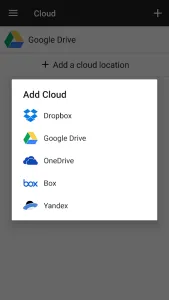
Beyond local storage, this solution bridges the gap between your physical device and various cloud services like Dropbox or Google Drive. You can manage your remote files with the same ease as local ones, performing actions like moving or renaming documents across different platforms. This unified approach means you no longer have to switch between multiple dedicated apps just to transfer a single presentation or photo album.
Advanced Network Connectivity
Connecting to a Network-attached storage (NAS) or using FTP to transfer files between your phone and PC is remarkably straightforward. The experience allows for high-speed data transfers over Wi-Fi, making it a professional choice for those who need to sync work documents without relying on cables. By setting up a simple remote connection, your handheld device becomes a powerful node in your local network ecosystem.
Intuitive App Organization
Managing installed software is just as easy as handling raw data, thanks to a dedicated section for application oversight. You can view all your installed programs, back them up, or uninstall those that are no longer useful to reclaim valuable space. This feature is particularly handy for power users who frequently test new software and need a reliable way to keep their app drawer organized and efficient.
Efficient File Operations
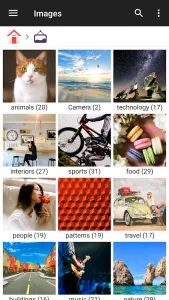
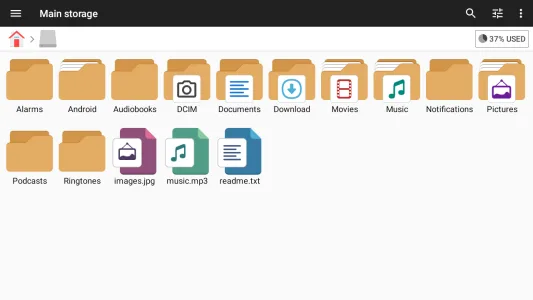
Performing standard tasks like cutting, copying, pasting, and renaming is handled through a familiar and responsive interface. File Manager supports deep directory navigation, allowing you to find specific configuration files or hidden folders that other basic explorers might overlook. Whether you are organizing a massive music library or searching for a specific PDF, the search functionality and directory tree make the process instantaneous.
Built-in Media Viewers
The platform includes integrated viewers for various file types, meaning you can open photos, play audio, or read documents directly within the interface. This eliminates the lag associated with launching external third-party applications just to preview a quick snapshot or a short voice note. It creates a cohesive environment where browsing and consuming content happen in one fluid motion, significantly saving time during busy workdays.
Secure Data Handling
Privacy and security are prioritized through clear file permissions and the ability to manage sensitive data across different storage partitions. This tool provides a transparent look at where your data lives, ensuring that nothing is hidden or moved without your explicit command. For users who value digital hygiene, having such a precise level of control over their file system is essential for maintaining a secure and private mobile experience.
Frequently Asked Questions
Yes, File Manager is completely free to download and use, offering a full range of powerful features without any initial cost to the user.
Absolutely, the utility allows you to seamlessly browse, move, and organize files on your external SD card just as easily as internal storage.
It supports a wide variety of cloud platforms, enabling you to sync and manage files across services like OneDrive, Box, and many others.
Additional APP Information
Package Name
com.alphainventor.filemanager
Developer
Flashlight + Clock
Category
Updated
Mar 2, 2026
Content Rating
Everyone
Signature
cf2180dfca52c2475d4309a6defc51cc563e3722
Get it On

You are now ready to download File Manager for free. Here are some notes:
- Please read our APK Info and installation instructions carefully for the game & app to work properly
- Read the FAQ carefully for more details
4.8/5 (225 votes)